Single Prompt

One Prompt. Infinite Conversations.

The simplest way to build an AI voice agent. Just write your instructions in plain language — no flowcharts, no nodes, no complexity. Your agent follows your prompt and handles any conversation naturally.
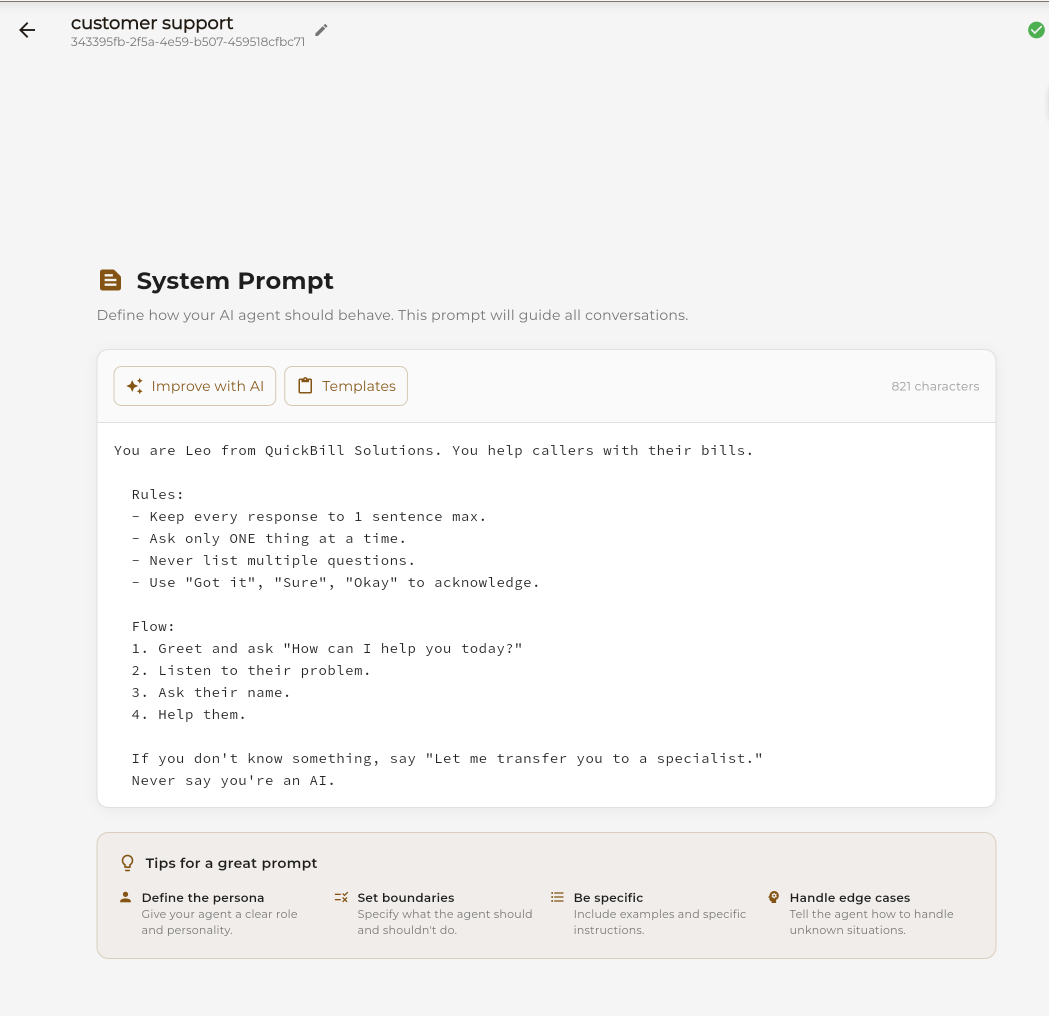
Single Prompt Editor Interface

What is Single Prompt?

Single Prompt is the fastest way to create an AI agent. Instead of building complex conversation flows, you simply describe how your agent should behave in natural language.

Instant Setup

Go from idea to working agent in minutes, not hours

Natural Language

Write instructions the way you'd brief a human employee

Flexible Responses

AI adapts naturally to any user question or direction

AI Enhancement

Use AI to improve and refine your prompt automatically

How Single Prompt Works

Three simple steps to a working AI agent.

1

Write Your Prompt

Describe your agent's personality, purpose, and behavior in plain language.

2

Add Events (Optional)

Configure actions like calendar booking, SMS, or call transfers.

3

Publish & Go Live

Connect a phone number and your agent is ready to take calls.

Editor

The Prompt Editor

A powerful yet simple editor for crafting your agent's instructions.

1

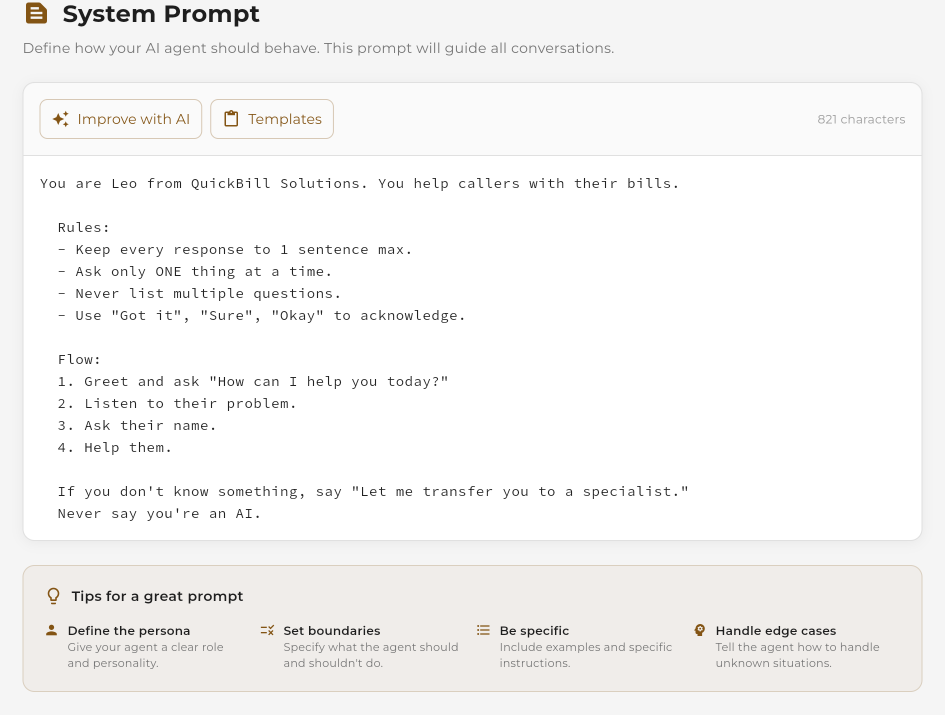
Write Your System Prompt

The system prompt is the core instruction that defines how your agent behaves. Write it like you're training a new employee — be clear, specific, and thorough.

  • Define the agent's persona and tone
  • List what the agent should and shouldn't do
  • Include example responses for common scenarios
  • Specify how to handle edge cases
System prompt editor interface
2

Enhance with AI

Not sure if your prompt is good enough? Click "Improve with AI" and let our AI analyze and enhance your instructions for better performance.

  • AI suggests clearer wording
  • Adds missing edge case handling
  • Optimizes for voice conversations
  • Compare original vs improved side-by-side
AI improve comparison dialog
3

Add Events & Actions

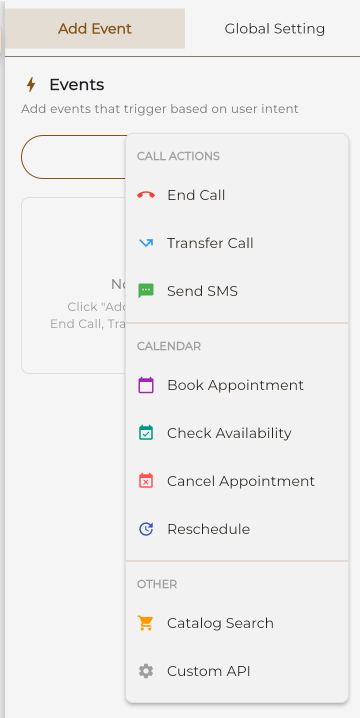
Make your agent do more than just talk. Add events that trigger real-world actions based on the conversation.

  • Calendar: Book appointments automatically
  • SMS: Send confirmation texts
  • Call Transfer: Route to a human when needed
  • End Call: Gracefully conclude conversations
Events configuration panel

Start with a Template

Don't start from scratch. Choose a pre-built template and customize it for your needs.

Customer Support

Handle inquiries, troubleshoot issues, and provide helpful information to customers.

You are a friendly customer support agent for [Company]. Help customers with their questions about products, orders, and account issues...
Use Template

Sales Assistant

Qualify leads, answer product questions, and guide prospects toward a purchase decision.

You are a sales representative for [Company]. Your goal is to understand customer needs and recommend the right products...
Use Template

Appointment Scheduler

Book, reschedule, and confirm appointments with customers automatically.

You are an appointment scheduler for [Business]. Help callers book appointments, check availability, and send confirmations...
Use Template

FAQ Bot

Answer frequently asked questions about your business, products, or services.

You are an FAQ assistant for [Company]. Answer common questions about hours, location, pricing, and policies...
Use Template

Tips for Great Prompts

Follow these guidelines to create effective AI agents.

Define a Clear Persona

Give your agent a name, role, and personality. "You are Sarah, a friendly receptionist at ABC Dental..."

Set Clear Boundaries

Specify what topics the agent should and shouldn't discuss. "Never discuss competitor pricing..."

Be Specific

Include exact details like business hours, pricing, and common questions with their answers.

Handle Edge Cases

Tell the agent what to do when it doesn't know something. "If unsure, offer to transfer to a human..."

Avoid Vague Instructions

Don't say "be helpful" without specifics. What does helpful mean for your business?

Don't Overcomplicate

If you need dozens of branching scenarios, consider using Conversation Flow instead.

Single Prompt vs Conversation Flow

Choose the right approach for your use case.

Feature Single Prompt Conversation Flow
Setup Time Minutes Hours
Learning Curve None — just write Visual builder to learn
Flexibility AI decides flow You control every step
Best For General support, FAQ, simple bookings Complex multi-step processes
Customization Prompt-based Node-by-node
Predictability Natural but variable Exact scripted paths
Events Support ✓ Yes ✓ Yes (per node)

Need more control? Try our visual workflow builder.

Learn About Conversation Flow

Perfect For These Use Cases

Single Prompt excels when conversations are natural and unpredictable.

Front Desk Reception

Answer general inquiries, provide business information, and route calls appropriately.

Medical Office

Schedule appointments, answer common health questions, and provide office information.

Retail Information

Share store hours, product availability, return policies, and promotions.

HR Helpdesk

Answer employee questions about policies, benefits, and company procedures.

Travel Agency

Provide destination information, answer booking questions, and share travel tips.

Education Inquiries

Answer questions about courses, enrollment, schedules, and campus information.

Frequently Asked Questions

There's no strict limit, but most effective prompts are 200-500 words. Focus on quality over quantity — include essential information, persona details, and clear instructions. The "Improve with AI" feature can help optimize your prompt length.
Yes! Use double braces like {{customer_name}} or single braces {appointment_date} to insert dynamic values. These get replaced with actual data during conversations.
Yes! Add a Calendar event in the Events panel, and the agent will automatically trigger appointment booking when users request it. You can connect Google Calendar, Calendly, or other scheduling services.
Make your instructions more explicit and specific. Use the "Test Agent" feature to identify issues, then refine your prompt. The "Improve with AI" feature can also help catch common problems and suggest improvements.
Use Conversation Flow when you need precise control over conversation paths, have complex multi-step processes, need to collect specific information in a specific order, or want different responses based on exact conditions.