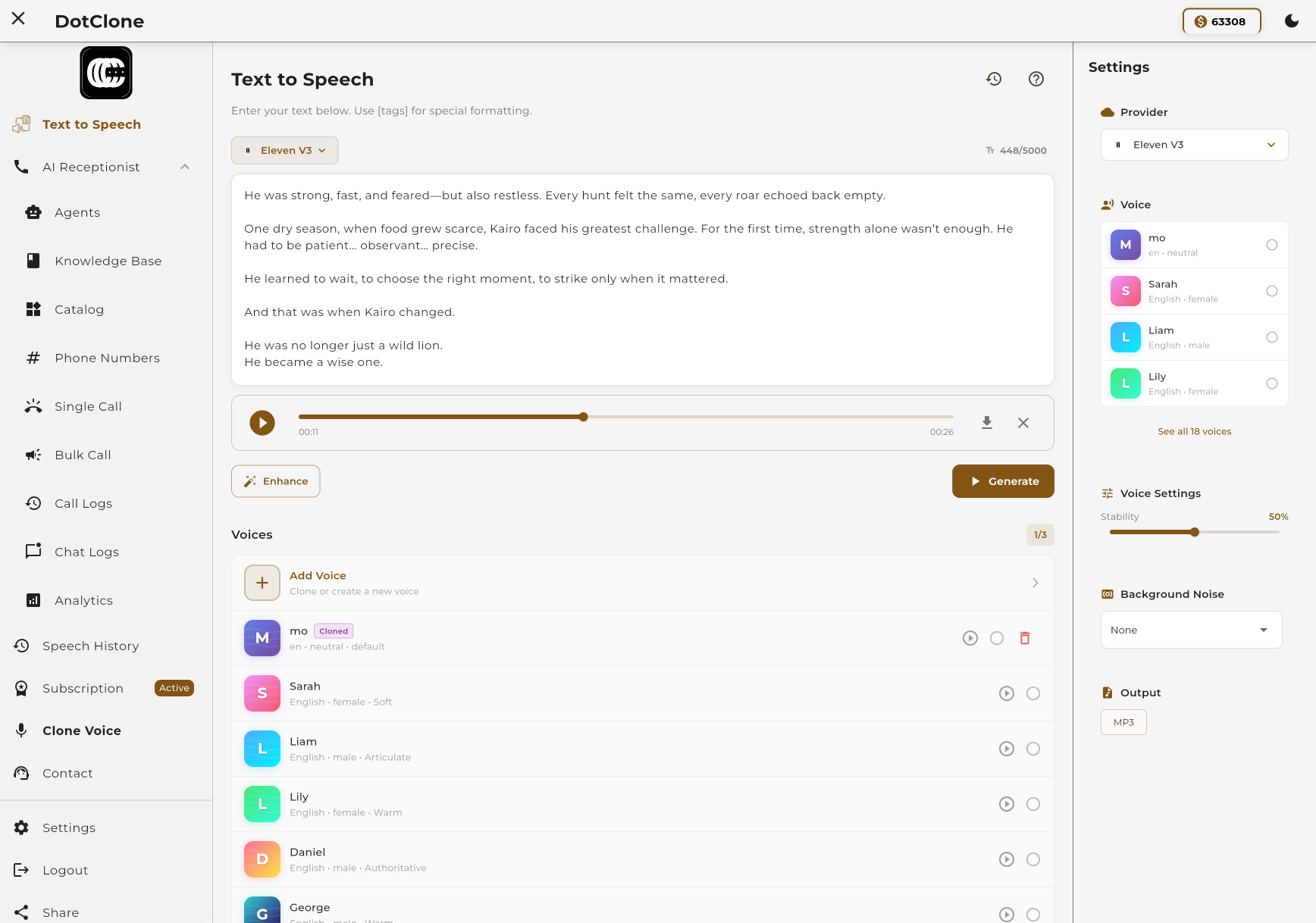
Transform any text into high-quality audio with our advanced TTS engine. Choose from multiple providers, hundreds of voices, and 50+ languages. Add emotions and expressions for truly human-like speech.
From text to audio in seconds. Our intuitive interface makes it easy to create professional voiceovers.
Type or paste your text into the editor. Add expression tags for emotion.
Select from hundreds of voices across multiple providers and languages.
Fine-tune speed, stability, pitch, and other voice parameters.
Click generate and download your audio file in seconds.
Access the best voices from leading AI providers without managing multiple accounts or APIs.
Industry-leading quality
Premium voices with exceptional naturalness and emotion. Perfect for professional content that needs to sound truly human.
Available Models:
Fast & cost-effective
High-quality voices at competitive pricing. Multiple models for different quality and speed requirements.
Available Models:
Reliable & consistent
Trusted voices from OpenAI. Simple, reliable, and great for standard use cases.
Available Models:
Make your AI voice sound truly human with our Enhance feature. Add emotions, pauses, laughter, sighs, and more using simple tags in your text. The Enhance feature transforms robotic-sounding TTS into natural, expressive speech.
Supported Models:
Add emotions and actions using square brackets. The AI will interpret and perform the expression.
[excited] Wow, this is amazing! [laughs] I can't believe it worked! [whispers] Don't tell anyone...
Add interjections and sounds using parentheses. MiniMax will naturally blend them into the speech.
[laughs] It's so good to see you. [sighs] I've been waiting all day.
Each model has different settings and features. Choose based on your needs.
| Model | Enhance | Expression Format | Supported Settings |
|---|---|---|---|
| eleven_v3 ElevenLabs | ✓ | [brackets] |
stability
|
| eleven_multilingual_v2 ElevenLabs | — | — |
speed
stability
similarity_boost
style
|
| eleven_turbo_v2_5 ElevenLabs | — | — |
speed
stability
similarity_boost
|
| speech-2.8-turbo MiniMax | ✓ | [brackets] |
speed
pitch
intensity
timbre
sound_effect
sample_rate
|
| speech-2.8-hd MiniMax | ✓ | [brackets] |
speed
pitch
intensity
timbre
sound_effect
sample_rate
|
| speech-2.6-turbo MiniMax | — | — |
speed
pitch
intensity
timbre
sound_effect
sample_rate
|
| speech-2.6-hd MiniMax | — | — |
speed
pitch
intensity
timbre
sound_effect
sample_rate
|
| tts-1 OpenAI | — | — |
speed
|
| tts-1-hd OpenAI | — | — |
speed
|
| gpt-4o-mini-tts OpenAI | — | — |
speed
|
MiniMax models support additional sound effects to transform your audio output.
Choose your preferred audio quality. Higher sample rates provide better quality but larger file sizes.
From podcasts to customer support, TTS powers a wide range of applications.
Generate professional voiceovers for podcasts, audiobooks, and audio articles.
Create voiceovers for YouTube videos, tutorials, and marketing content.
Power your AI assistants and chatbots with natural-sounding voices.
Create engaging educational content with consistent, clear narration.
Make written content accessible to visually impaired users.
Build professional phone menu systems with natural voices.
Pay only for what you use. TTS is charged per character, with rates varying by model.
Starting at 1.0 credits per character for basic models.
View Full Pricing