Knowledge Base
Train Your AI With Your Data
Upload documents and let your AI agent learn from your company's knowledge. Provide accurate, contextual responses based on your own content.
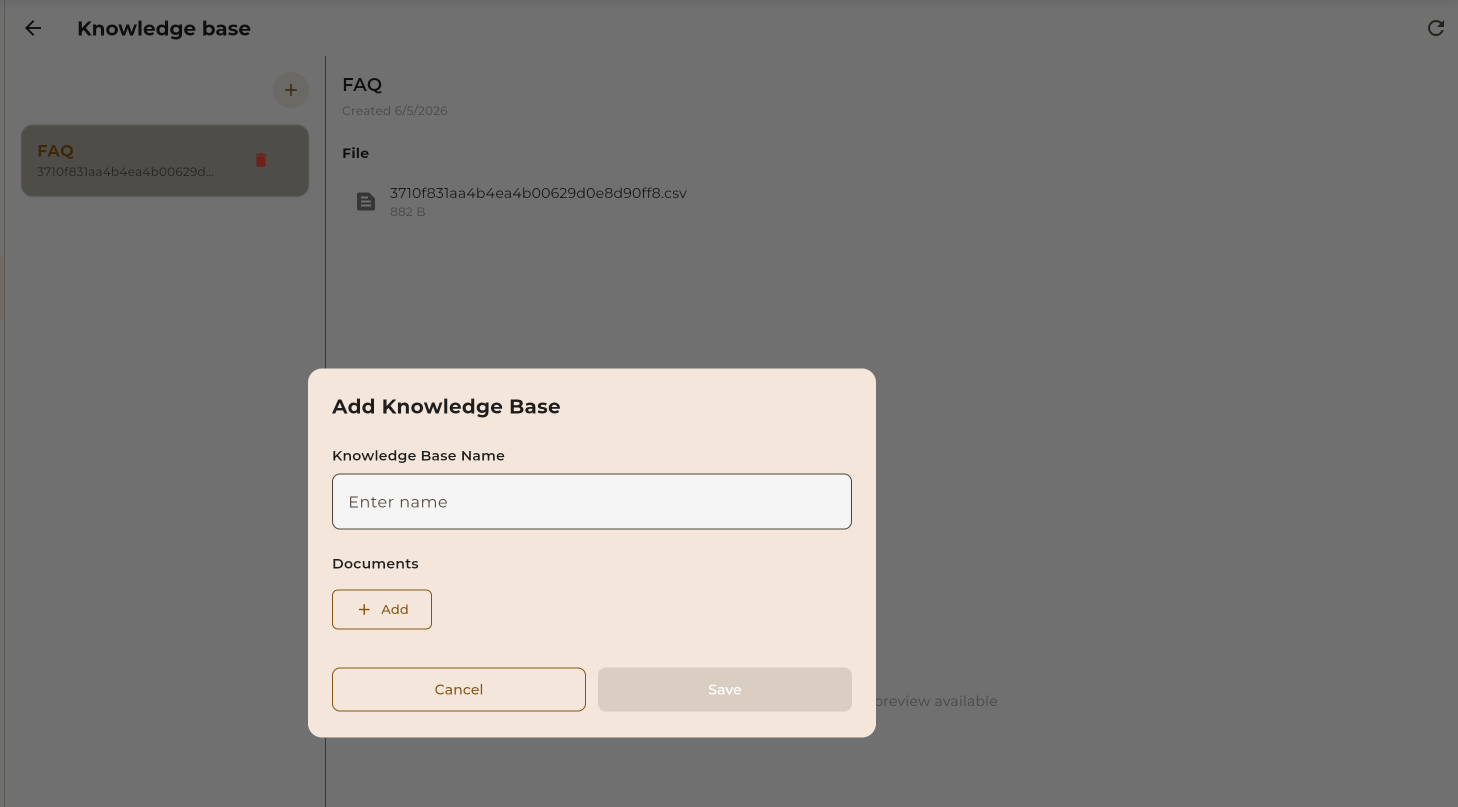
Upload documents and let your AI agent learn from your company's knowledge. Provide accurate, contextual responses based on your own content.
A Knowledge Base is a collection of documents that your AI agent uses to answer questions accurately. Instead of generic responses, your agent provides information specific to your business.
Upload PDFs, Word docs, text files, and more
AI finds relevant info from your documents instantly
Responses based on your actual content, not guesses
Your data is encrypted and never shared
Get your AI agent trained with your knowledge in just a few steps.
Add your PDFs, Word docs, text files, or paste content directly.
Our AI reads, understands, and indexes your content automatically.
Link your knowledge base to any AI agent you create.
Your agent now answers questions using your knowledge.
Follow these steps to create and populate your knowledge base with documents.
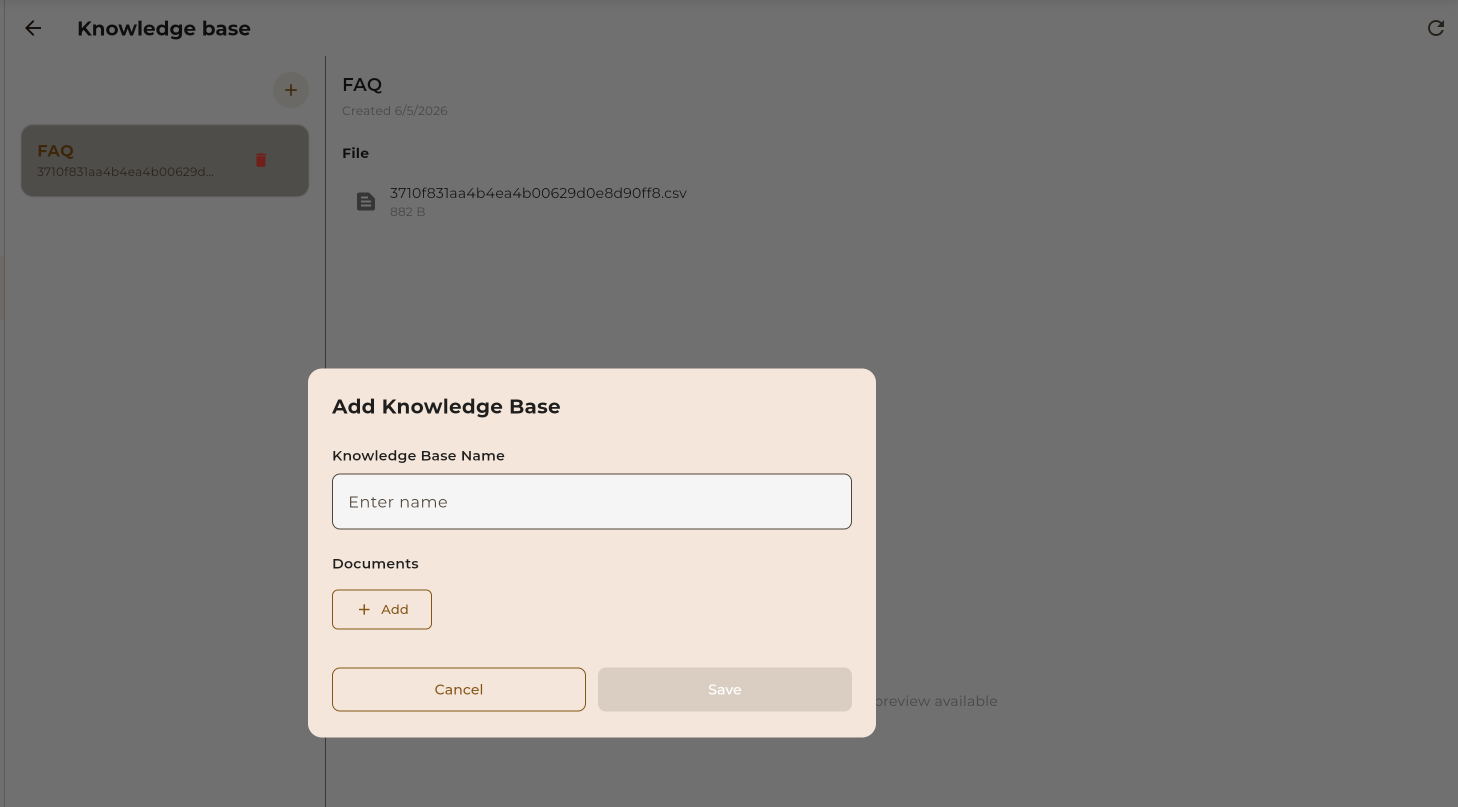
Navigate to the Knowledge Base section and click "Create New". Give your knowledge base a descriptive name like "Product FAQ" or "Support Docs".
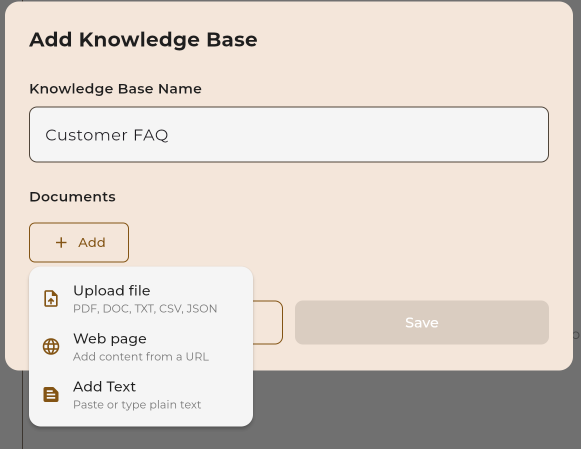
Drag and drop files or click to browse. You can upload multiple files at once. Supported formats include PDF, DOCX, TXT, MD, CSV, and more.
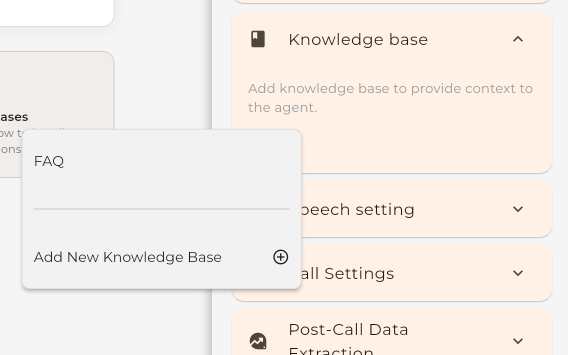
When creating or editing an AI agent, select your knowledge base from the dropdown. Your agent will now use this knowledge to answer questions.
Upload a variety of document formats. We extract and process the content automatically.
Maximum File Size
Each file can be up to 10MB. For larger documents, consider splitting them into smaller files or contact support for enterprise options.
Each plan includes different knowledge base storage and document limits.
| Plan | Knowledge Bases | Documents per KB | Total Storage | |
|---|---|---|---|---|
| Free | 1 | 5 | 10 MB | Get Started |
| Basic | 3 | 25 | 100 MB | Choose Basic |
| Pro Popular | 10 | 100 | 500 MB | Choose Pro |
| Scale | 25 | 500 | 2 GB | Choose Scale |
| Enterprise | Unlimited | Unlimited | Custom | Contact Sales |
Get the most out of your knowledge base with these recommendations.
Regularly update your knowledge base when information changes. Outdated info leads to wrong answers.
Well-organized documents with headings and bullet points work best for AI extraction.
Create separate knowledge bases for different topics (e.g., "Product Info", "Policies", "FAQ").
Documents in question-and-answer format help AI understand common queries.
PDFs with scanned images of text don't work well. Use searchable/text-based PDFs.
Avoid uploading confidential or personal data unless necessary for the agent's function.
Too much unrelated content can confuse the AI. Keep content focused and relevant.
Avoid uploading the same information multiple times. It wastes storage and can cause inconsistencies.
See how businesses use knowledge bases to power their AI agents.
Upload your support documentation and let AI answer common questions instantly.
Help customers learn about your products, features, and specifications.
Upload company policies, terms, and procedures for accurate policy-related answers.
Create an internal assistant that helps employees find training resources.
Include service details, availability, and pricing for booking assistance.
Upload translated documents to serve customers in multiple languages.